
Malwarebytes’ Anti-Malware is an effective anti-malware software that can remove various types viruses and malwares that your standard antivirus software may have missed. The user Interface is pretty simple and user friendly


 0
comments
0
comments
 Labels:
Anti-Malware,
Anti-Virus
Labels:
Anti-Malware,
Anti-Virus
 0
comments
Labels:
DVD,
DVD Drive,
Tweak
0
comments
Labels:
DVD,
DVD Drive,
Tweak
 1 comments
Labels:
Free SMS,
Messaging
1 comments
Labels:
Free SMS,
Messaging
Gif is the most popular image format for animated pictures and logos. Gif animation is widely used in web animations, user avatars, smileys etc.
This guide will help you to create custom gif animations from slides of still pictures or video using GIMP and VirtualDub.
Press Ctrl+L to open the Layers window for viewing and applying delay to the slides/layers of images. This delay is the duration of time for which the layer will be displayed and after that next layer will be displayed.
Just right click each layer and then click Edit Layer Attributes… to enter a delay value.
e.g. if you wish to have a delay time of 500ms then enter it in this format (500ms) as Layer name.To preview the animation click Filters from GIMP menu bar, then select Animation->click Playback.
Now to save the animation click File->Save as->then give a file name of your choice and .gif as the extension name->click Save->select Save as Animation->then click Export->Save.
Open VirtualDub->click File->Open a video file->then browse and select a video file, then click open to open it.
To save the whole video as Gif animation click File->Export->Animated GIF.
0
comments
Labels:
Animation,
Gif Animation

Nokia Monitor Test the ultimate monitor calibration tool to tweak any type monitors and have the best possible display configuration. This tool supports adjustment of brightness, contrast, geometry (width, height, Tilt etc), color, readability etc.
It also got a little option for testing system sound configuration.
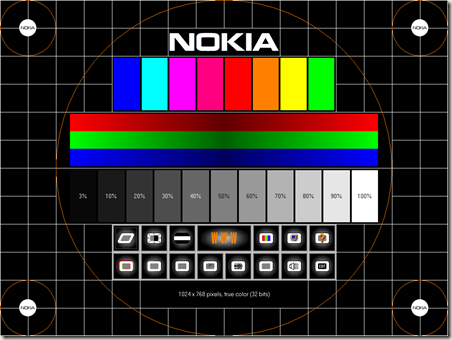
Nokia Monitor Test is no longer supported by Nokia and future development have been stopped, the final version is 1.0.0.1
0
comments
Labels:
Freeware,
Monitor Calibration,
Tweak

